
Give and get help, both ways, in one small app
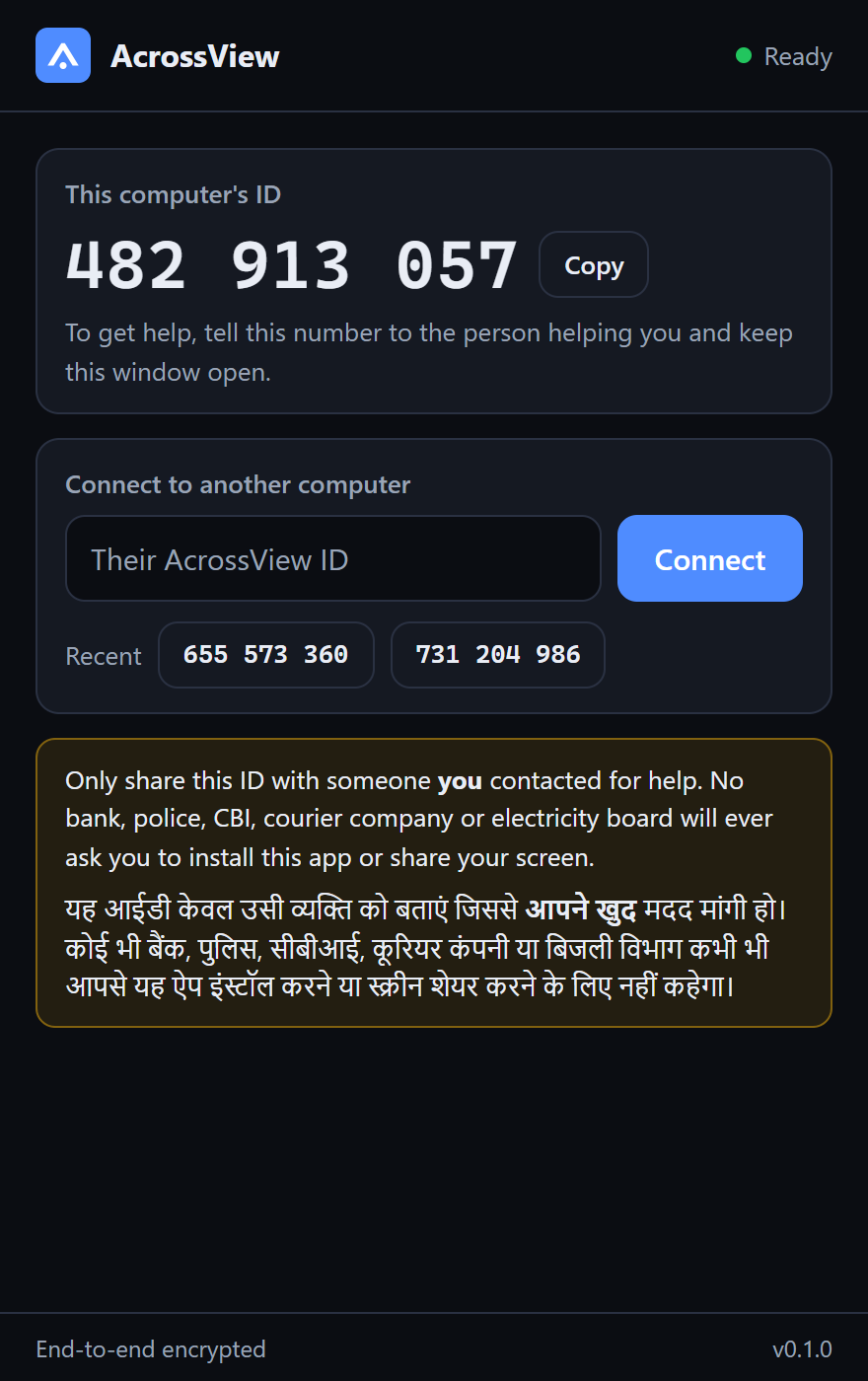
AcrossView for Windows shows your computer's ID so someone you trust can help, with your permission for their mouse and keyboard. It also connects you to other computers by their ID.
Early-access version 0.1.0, 9 October 2026. Windows 10 and 11, 64-bit, 27.9 MB. One file, nothing to install: run it and it is ready. Please read "Before you run it" below.
A request, and a session
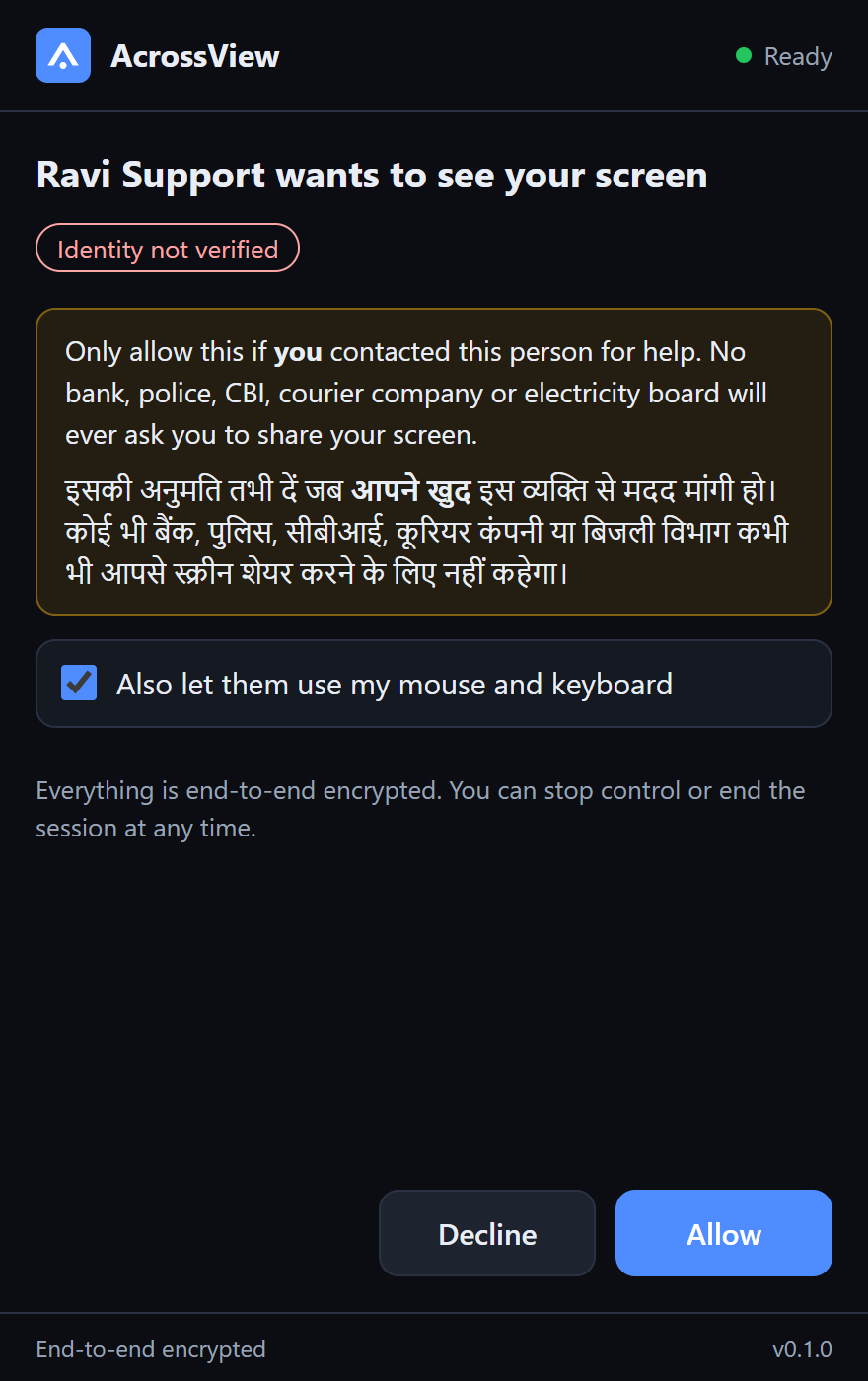
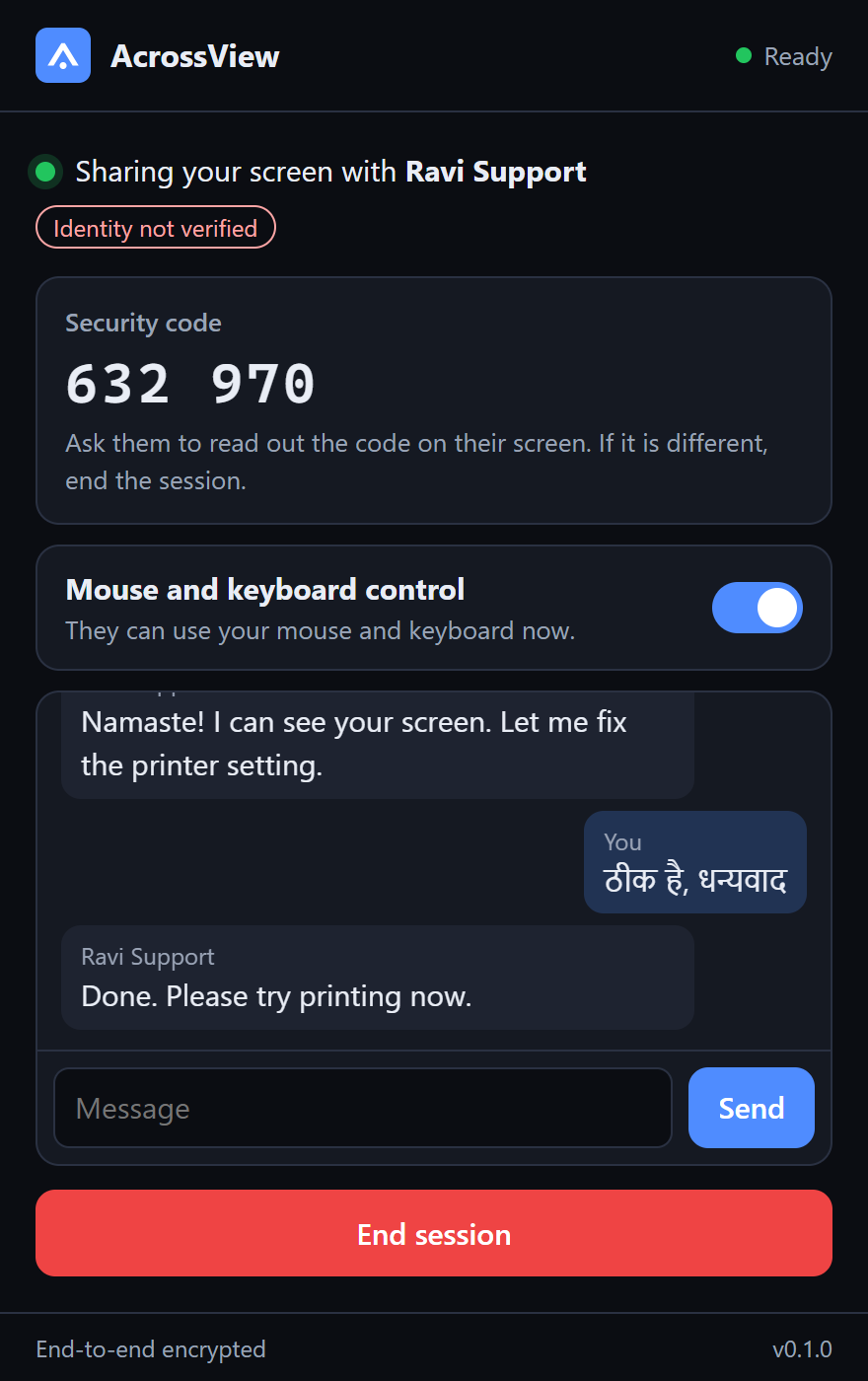
The person at the computer always sees who is asking, decides what they may do, and can stop it at any moment.
Receive help
- Your AcrossView ID, ready to read out.
- Every request shows who is asking and a warning in English and Hindi. Allow waits five seconds.
- Mouse and keyboard control is a separate choice, and a switch you can turn off at any time.
- A security code to compare, chat, and an End session button that always stays visible.
- Clicks land exactly where the helper points, at any display scaling.
Connect to another computer
- Type their ID and press Connect; recent IDs are remembered.
- Their screen opens in its own large window.
- Press the pointer button to use their mouse and keyboard, once they have allowed it.
- Works with another AcrossView app, or with someone sharing from their browser.
- During early access, connecting needs an access key.
Before you run it
This early-access build is not yet code-signed, so Windows SmartScreen will say "Windows protected your PC". Only continue if the AcrossView team gave you this link. Then choose More info, check that the file is AcrossView.exe, and choose Run anyway.
If anyone else, on a call or in a message, is urging you to install it, stop. See Stay safe.
To check the file, run Get-FileHash .\AcrossView.exe in PowerShell. It must printcf79bd9dbd96672c3280b449a3731c569b794afb7811080d771d5f0326326d8a
AcrossView includes open-source components: see the third-party notices.
Private by design
Sessions are end-to-end encrypted with keys made on the two computers for that session only. Our servers relay the picture without being able to see it. Each click and keystroke is sealed and numbered, so nobody in between can forge or replay one.
Coming next
- Voice in the app
- Choosing between several monitors
- Clipboard and file transfer
- Unattended access, administrator windows and the Windows sign-in screen
- Mac and Android apps